
How to search the DgoBuy spreadsheet: a grey-hoodie example
A category, one title word and a price limit: 163 records become 7.
Use the controls for the job they are designed for: words in the search box, dollars in the price fields. Here is the exact search we checked.
On this page
Open Hoodies first
Open the hoodie category. It contains 163 hoodie and sweatshirt records in the 22 Oct 2026 snapshot. Starting here keeps other garment types out of the search.
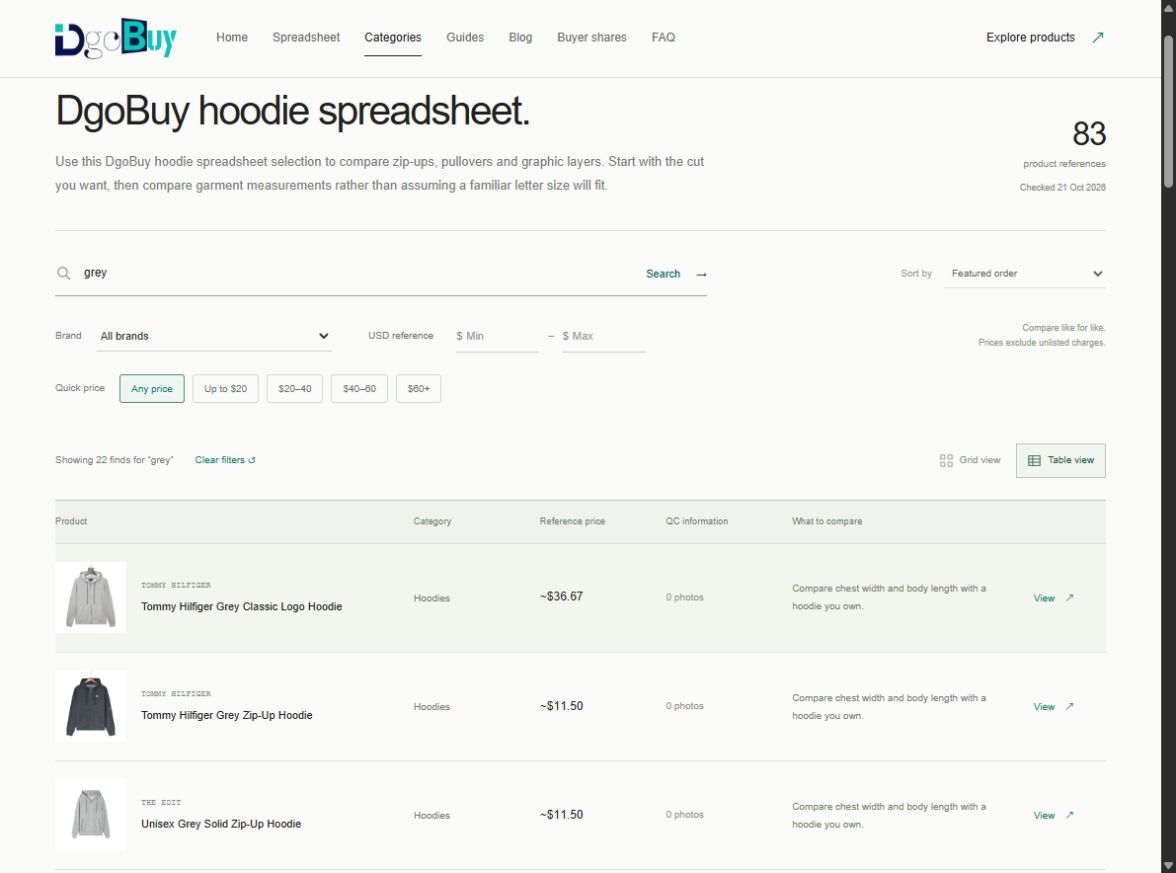
Search for “grey”
Enter grey and submit the search. This returns 43 records. The title search uses the words in each record, so it can include sweatshirts as well as zip-ups and pullovers from this category.
Open this search in table view
Put 20 in the maximum-price field
The USD maximum is inclusive: entering 20 keeps references at $20 or less. With “grey” still entered, 7 records remain. Typing “grey hoodie under 20” into the text box searches for those words; it does not set a budget.
| Action | Matching records | Open the view |
|---|---|---|
| Hoodies category | 163 | Category |
| Add the title word grey | 43 | Grey results |
| Set maximum USD to 20 | 7 | Grey results up to $20 |
Use the table to compare the remaining rows
Switch to Table view. The title, reference amount and supplied QC count sit on the same row. Search and sorting already include the entire page’s product set; “Show more” only changes how many matching rows or cards are displayed.
Keep the exact record links for two or three candidates. For this search, check zip-up versus pullover before comparing their amounts.
If the result is empty, undo one restriction
Remove the least useful title word first. Then check the brand, category and price fields. “Clear filters” resets the current view’s optional restrictions; on a category page, you are still browsing that category.
See the short answer for an empty search.
Try the 7-record comparison. The counts above belong to the stored snapshot and will change when its records change.
Compare the $20 pool across categories when you want to see where the budget leaves more choice.